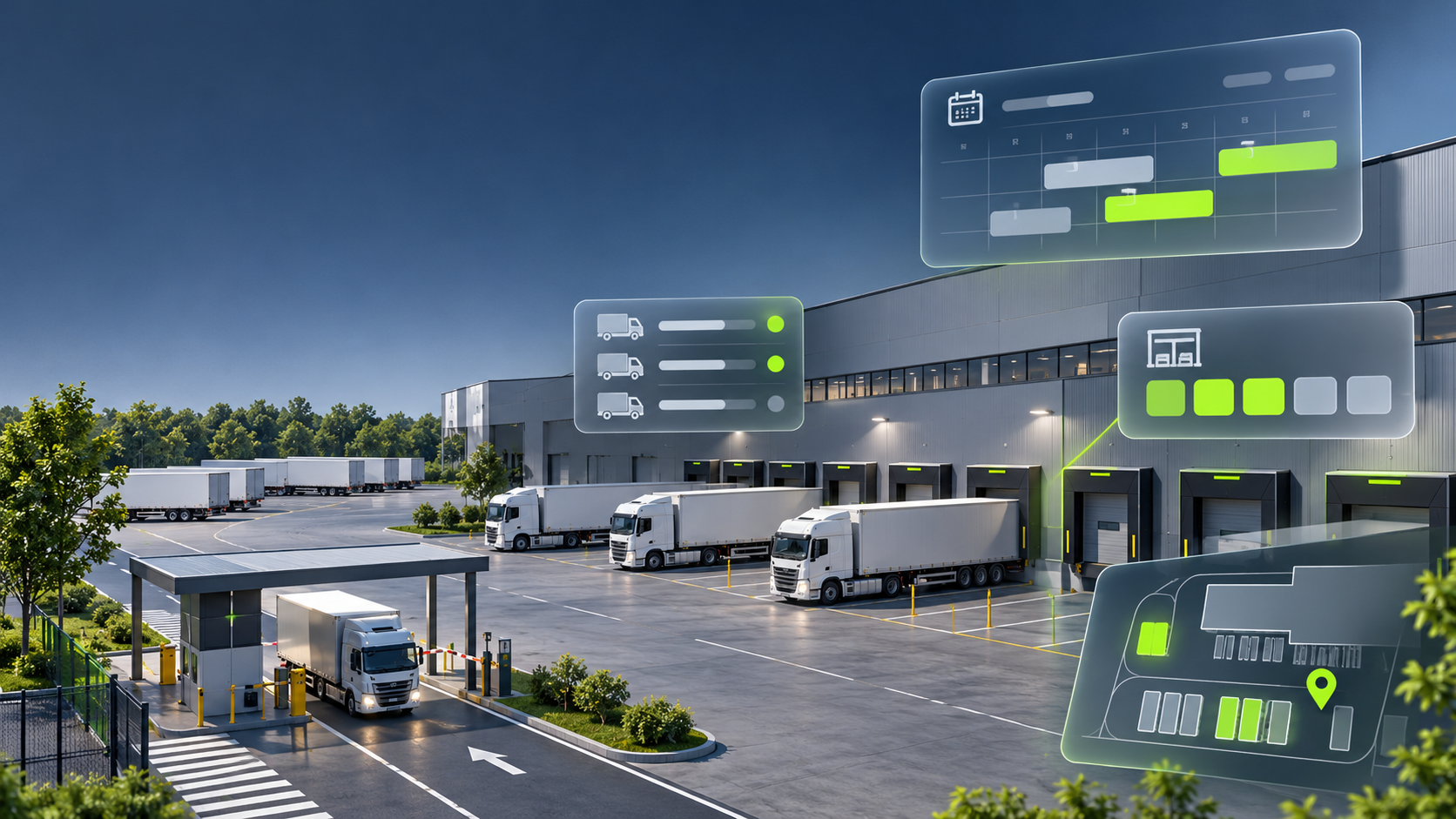
Looking for Opendock alternatives? Several dock scheduling and yard management platforms offer different approaches to managing warehouse appointments, driver check-in, gate operations, and yard visibility.
Whether you're looking to replace Opendock or simply compare available solutions, it's important to understand how each platform fits your operational requirements.
The four alternatives worth evaluating are Goramp, C3 Solutions, Transporeon, and Kaleris. Each offers a different combination of dock scheduling, yard management, automation, and logistics integrations.
The right choice depends on your facility size, daily truck volume, carrier network, existing systems, and whether you need standalone dock scheduling or a connected dock-to-yard management platform.
In this guide, we'll compare the four alternatives, explore their key capabilities, and explain what to consider before switching from Opendock.
Disclosure: This article is published by Goramp, which is included in the comparison. The overview is based on publicly available vendor information reviewed in November 2026. The platforms are not independently ranked or tested against identical scenarios. Always verify features, integrations, implementation requirements, and pricing directly with vendors.
Opendock Alternatives at a Glance
Before looking at each platform in detail, here's a quick comparison of the four Opendock alternatives.
The platforms aren't identical replacements. Some place greater emphasis on appointment scheduling, while others focus on yard execution, asset tracking, or connected hardware.
1. Goramp
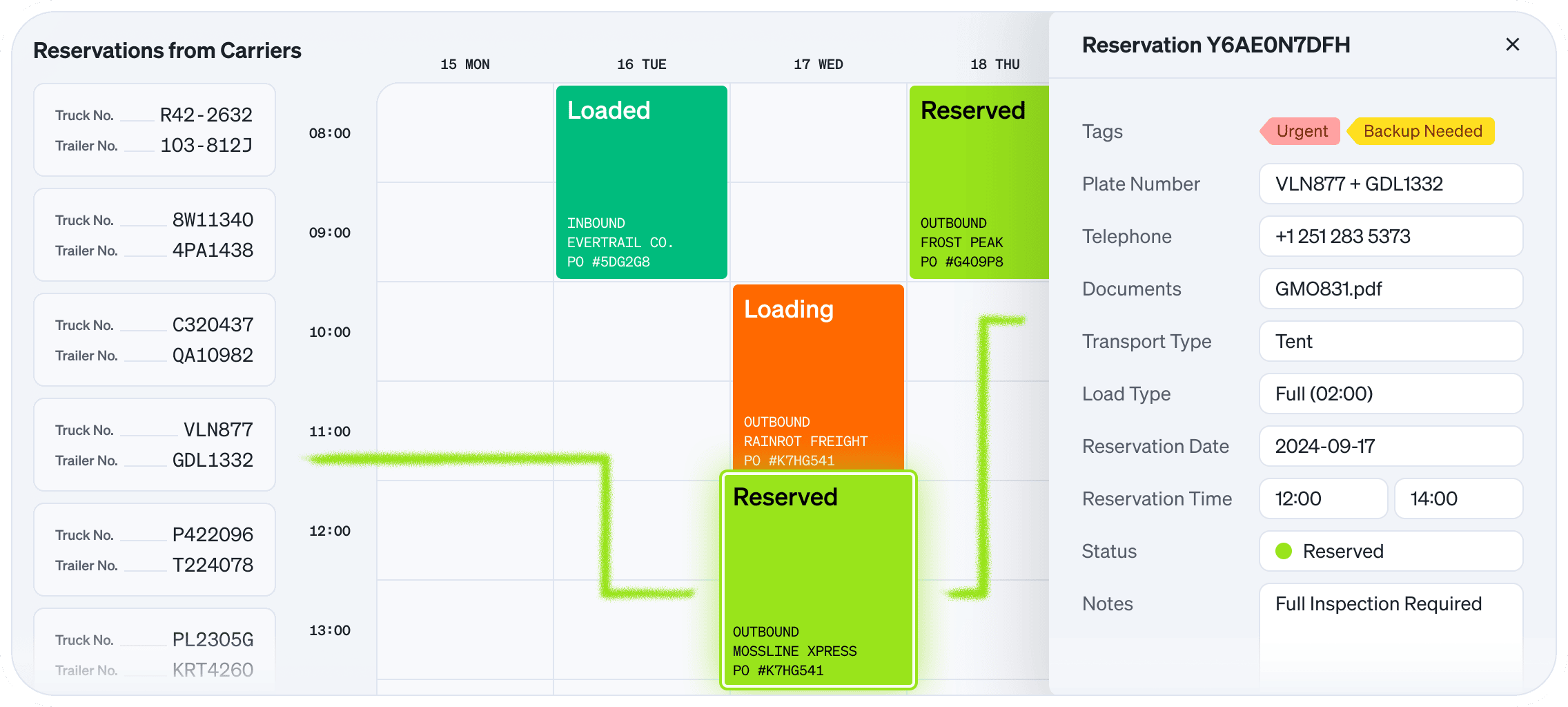
Best for: Businesses looking for an integrated dock scheduling and yard management platform.
Goramp is a yard and dock orchestration platform that connects dock scheduling, driver check-in, gate operations, and yard management within one system.
Instead of treating appointment scheduling and physical yard operations as disconnected processes, Goramp connects the planning and execution stages of warehouse operations.
Its dock scheduling solution allows carriers and suppliers to book appointments digitally, while warehouse teams can manage capacity, monitor arrivals, and coordinate dock activity.
Key capabilities include:
- Dock scheduling: Digital appointment booking, configurable time slots, capacity planning, and automated scheduling workflows.
- Yard management: Real-time yard visibility, trailer tracking, digital yard maps, and automated yard move tasks.
- Gate management: Driver self-check-in, arrival and departure tracking, and access control.
- Operational visibility: Dashboards and alerts for monitoring truck turnaround, dwell time, dock utilisation, and yard activity.
- Automated workflows: Configurable processes that reduce manual coordination between warehouse teams, carriers, and drivers.
- Integrations: Connections with existing warehouse, transportation, and enterprise systems.
Goramp is particularly relevant for businesses that want to improve more than just their appointment booking process. By connecting dock scheduling with yard execution, operations teams can see what's scheduled, what's arriving, and what's happening inside the facility.
What to consider: Evaluate the available integrations with your WMS, TMS, and ERP, as well as the platform's ability to support your scheduling rules, multi-site operations, and carrier onboarding requirements.
Explore Goramp's time slot management software and yard management solution.
2. C3 Solutions
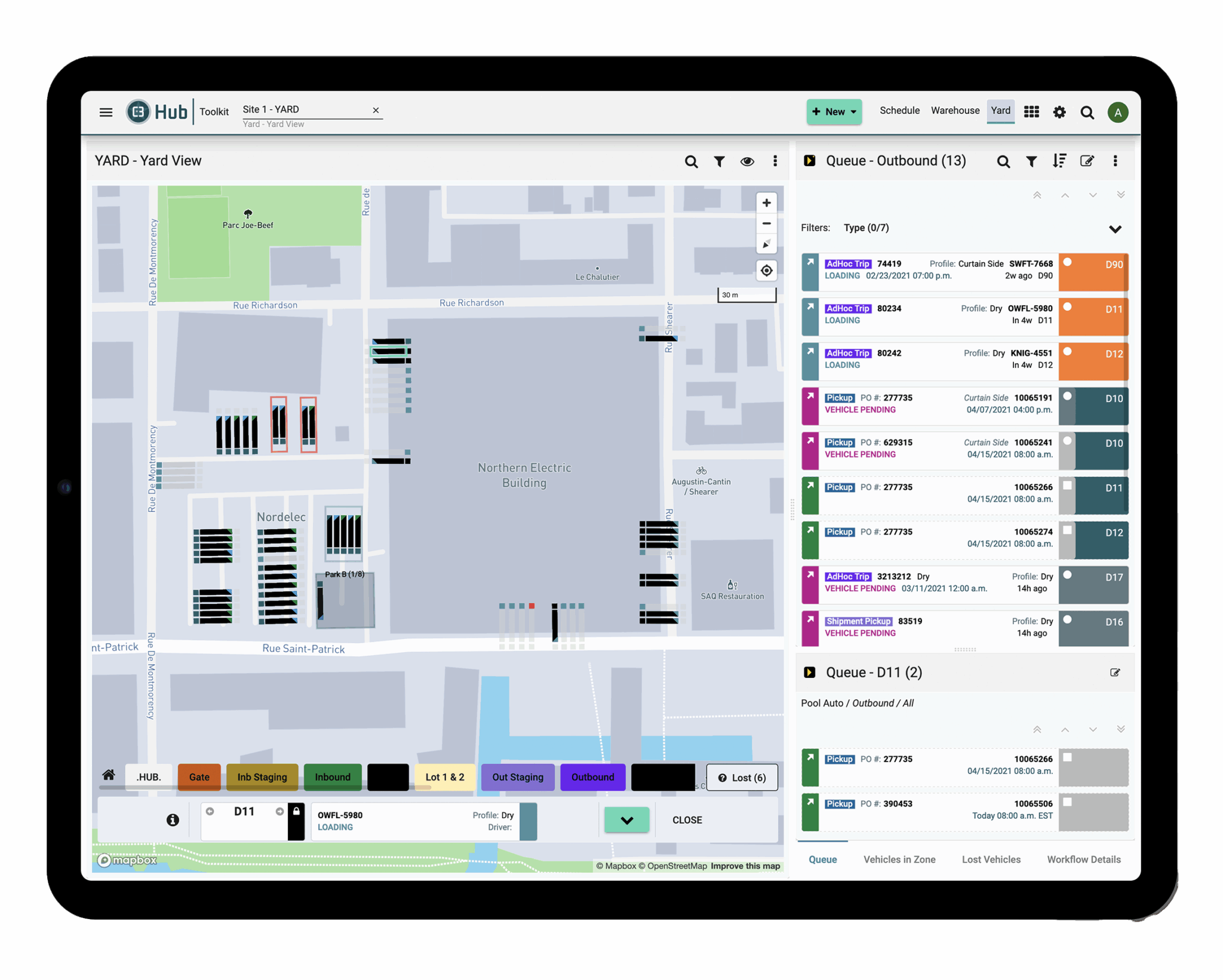
Best for: High-volume warehouses and distribution centres with complex scheduling requirements.
C3 Solutions offers dedicated dock scheduling and yard management products designed to help warehouses coordinate appointments, carrier activity, and physical yard operations.
Its main products include C3 Reservations for dock appointment scheduling and C3 Yard for yard management.
C3 Reservations allows carriers and suppliers to book appointments through a self-service portal, while warehouse teams configure scheduling rules, manage capacity, and monitor incoming and outgoing shipments.
C3 Yard extends these workflows into the physical yard, helping teams manage trailer locations, check-ins, and yard movements.
Key capabilities include:
- Configurable appointment scheduling rules and capacity management.
- Carrier and supplier self-service portals.
- Automated notifications and appointment updates.
- Multi-site scheduling and warehouse management.
- Mobile check-in and operational timestamps.
- Trailer tracking and yard management through C3 Yard.
- Reporting, dashboards, and system integrations.
C3 is particularly relevant for businesses managing high appointment volumes, multiple dock doors, and complex warehouse scheduling requirements. The company specifically positions its dock scheduling product for high-traffic warehouses, including grocery, 3PL, and distribution centre operations.
What to consider: Determine whether you need C3 Reservations alone or the combination of Reservations and C3 Yard. Ask how the two products share operational data, how implementation is structured, and which integrations are available for your existing systems.

3. Transporeon
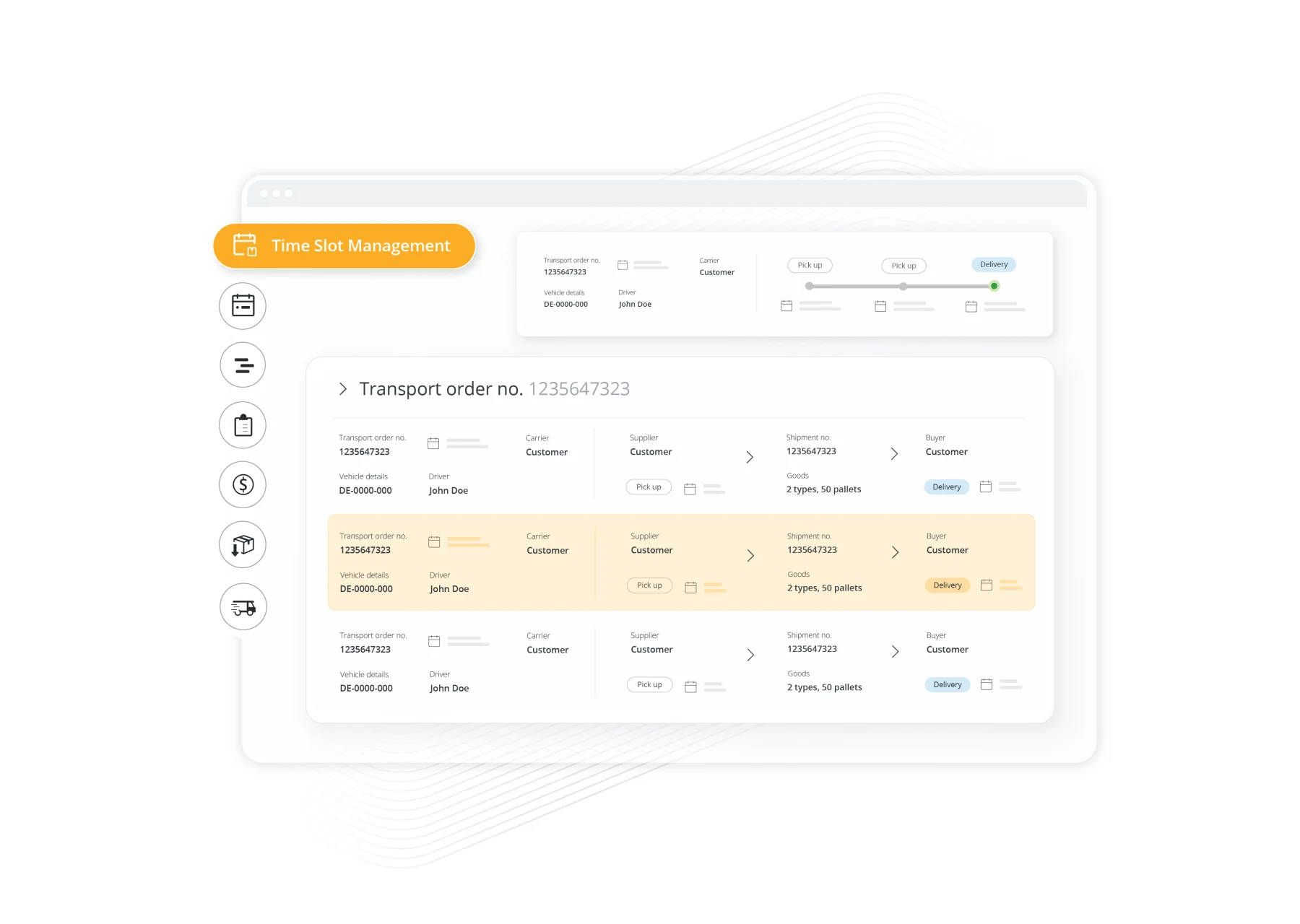
Best for: Shippers looking to connect dock scheduling with broader transportation operations.
Transporeon provides logistics and transportation management solutions, including Time Slot Management and Real-Time Yard Management.
Its dock and yard management offering helps shippers coordinate deliveries, manage warehouse capacity, and improve communication between carriers, suppliers, and warehouse teams.
The Time Slot Management solution allows carriers and suppliers to book appointments according to available time slots and facility rules.
Its Real-Time Yard Management capabilities extend visibility beyond appointment booking, helping warehouse teams monitor truck arrivals, waiting vehicles, and ongoing yard activity.
Key capabilities include:
- Digital dock appointment and time slot booking.
- Configurable scheduling rules and capacity management.
- Real-time truck and yard visibility.
- Dynamic slot reassignment for early or delayed arrivals.
- Automated notifications and updates.
- Yard monitoring and operational reporting.
- Interfaces with third-party yard equipment, including check-in terminals, licence plate scanners, and RFID readers.
Transporeon is worth considering for organisations that want to connect warehouse appointment scheduling with broader transportation processes and carrier collaboration.
Its combination of time slot management and yard management is particularly relevant for shippers operating across multiple facilities and coordinating large carrier networks.
What to consider: Check which products and modules are included in the proposed solution, how the scheduling and yard management capabilities work together, and whether the platform integrates with your existing transportation and warehouse systems.
4. Kaleris
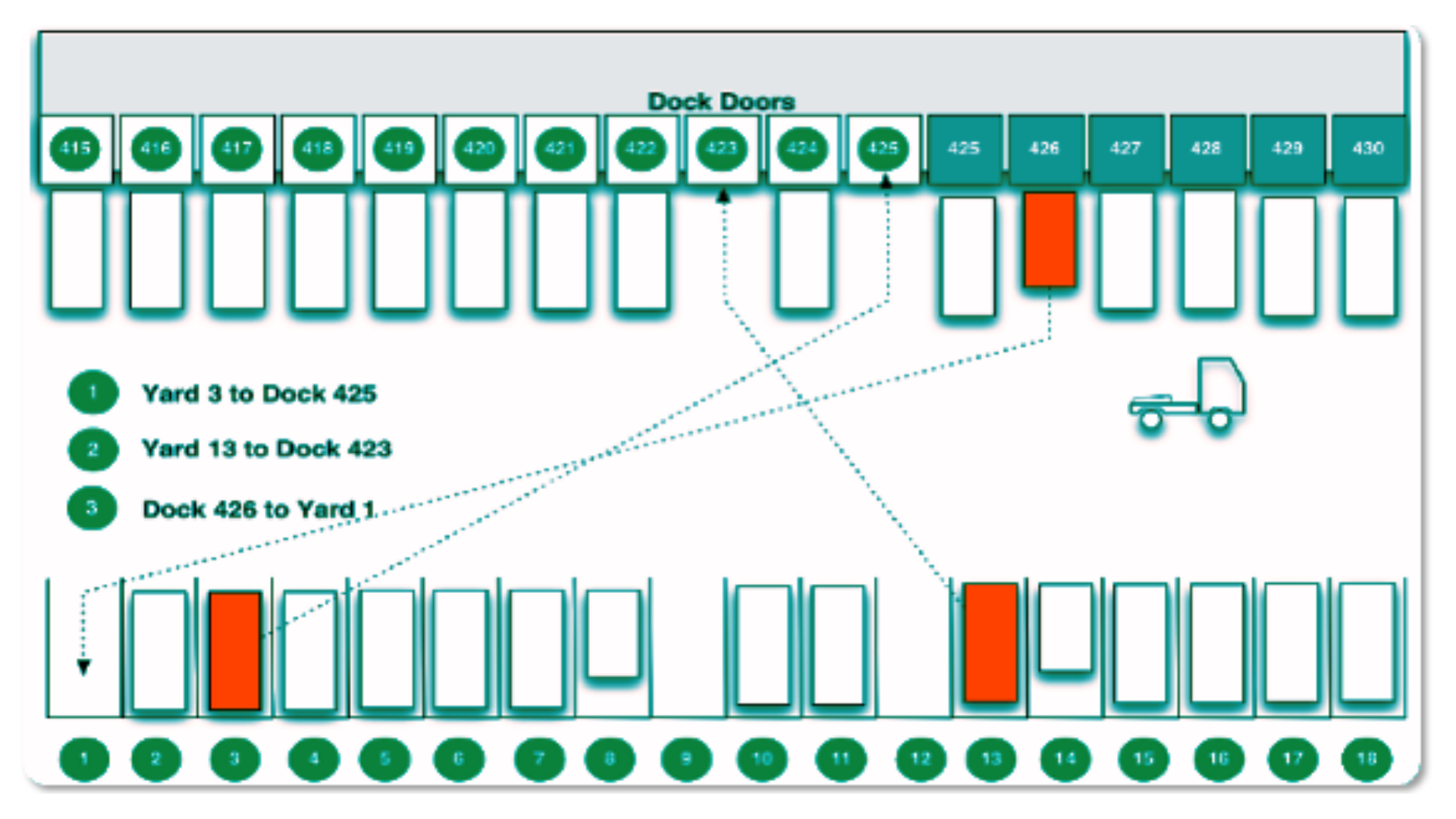
Best for: Large operations prioritizing enterprise yard management and asset visibility.
Kaleris provides enterprise supply chain execution software, including a Yard Management System designed to improve visibility and control over trailers, containers, gates, and yard movements.
Its platform focuses heavily on yard operations and asset management, helping businesses track inventory, coordinate movements, and automate workflows across complex logistics environments.
Key capabilities include:
- Real-time trailer and asset tracking.
- Gate management and automated driver check-in.
- Dock management and appointment scheduling.
- Yard maps and asset location visibility.
- Automated yard tasks and spotter management.
- Real-time dashboards and operational reporting.
- Integration with WMS, TMS, and ERP systems.
- Location tracking technologies, including RFID, GPS, and other connected devices.
Kaleris is particularly relevant for businesses managing high-volume yards, large trailer inventories, and complex movements between parking areas, docks, and other facility locations.
Its yard management solution can also support businesses that need greater control over asset utilisation, dwell times, and detention-related costs.
What to consider: Kaleris has a strong yard management focus, so assess its carrier-facing dock appointment experience carefully if appointment scheduling is your primary requirement. Also evaluate the hardware, implementation, and integration requirements associated with your preferred configuration.
Opendock vs. Its Alternatives: What Should You Compare?
Choosing an alternative to Opendock requires more than comparing feature lists.
Two platforms might both offer appointment scheduling, driver check-in, and yard visibility, but the way they handle those processes can differ considerably.
Before selecting a replacement, evaluate the following areas.
1. Dock scheduling flexibility
Dock scheduling software helps warehouses coordinate inbound and outbound truck appointments based on available capacity, load requirements, and operational constraints.
However, scheduling requirements vary between facilities.
Some warehouses handle primarily palletised deliveries, while others manage floor-loaded containers, full truckloads, drop trailers, or mixed freight operations.
When comparing platforms, look for:
- Configurable appointment durations.
- Capacity rules by dock, carrier, supplier, or load type.
- Inbound and outbound scheduling.
- Recurring appointments.
- Automated notifications.
- Appointment changes, cancellations, and rescheduling.
- No-show and exception management.
Ask vendors to demonstrate how their system handles your most complicated scheduling scenario rather than simply showing you a standard booking calendar.
2. Yard management and real-time visibility
Appointment scheduling controls when trucks arrive. Yard management controls what happens once they enter the facility.
If your operation struggles with trailer visibility, misplaced assets, gate congestion, or manual yard movements, a dock scheduling system alone may not solve the underlying problem.
Evaluate whether the platform provides:
- Real-time trailer and asset tracking.
- Digital yard maps.
- Gate check-in and check-out.
- Automated yard move assignments.
- Dock door visibility.
- Trailer dwell-time monitoring.
- Operational dashboards and reporting.
Understanding the difference between yard management and dock scheduling will help you determine whether you need a standalone appointment scheduling tool or a broader yard management solution.
3. Carrier and driver experience
A scheduling platform is only effective when carriers and suppliers actually use it.
Consider how easy it is for external partners to register, access the platform, book appointments, and receive updates.
Look at:
- Carrier self-service portals.
- Mobile booking and check-in.
- Driver account and registration requirements.
- Automated booking confirmations.
- Appointment changes and cancellations.
- Notifications and communication workflows.
- Support for multiple facilities.
A complicated carrier experience can create resistance and push teams back toward manual booking through email and phone calls.
4. Integrations and data management
Your dock scheduling platform should connect with your existing logistics systems rather than become another isolated application.
Review compatibility with your:
- Warehouse Management System (WMS).
- Transportation Management System (TMS).
- Enterprise Resource Planning (ERP) system.
- Enterprise and supplier portals.
- Gate equipment and scanning systems.
- Business intelligence and reporting tools.
Ask vendors whether integrations are native, API-based, EDI-based, or require custom development.
Also confirm whether appointment data, purchase orders, shipment references, carrier details, and operational status updates can flow between systems in both directions.
5. Implementation and scalability
A platform that works for one warehouse might not suit an organisation operating across multiple distribution centres.
Consider:
- Implementation methodology and expected timeline.
- Employee training and support.
- Carrier onboarding requirements.
- Multi-site functionality.
- Centralized reporting.
- User permissions and access control.
- Configuration flexibility.
- Ability to scale as appointment volumes increase.
Ask vendors to explain what their implementation process involves and what resources your internal team will need to provide.
6. Total cost of ownership
Software subscription fees are only one part of the overall investment.
When comparing Opendock alternatives, account for:
- Software subscriptions and additional modules.
- Implementation and configuration.
- WMS, TMS, and ERP integrations.
- Hardware, kiosks, cameras, and sensors.
- Carrier onboarding and employee training.
- Ongoing support and maintenance.
- Additional facility, user, or transaction fees.
Request a written cost breakdown for your current operation and a projected cost as your warehouse network grows.
Switching from Opendock: What Should You Consider?
Replacing Opendock with another dock scheduling or yard management platform requires careful planning.
The software affects more than the warehouse scheduling team. It also influences carrier communication, supplier coordination, gate processes, yard movements, and integration with existing business systems.
A poorly planned transition can result in duplicate appointments, missed deliveries, communication gaps, and disruptions to daily warehouse operations.
Here are seven considerations before switching.
1. Audit your existing workflows and requirements
Start by documenting how your facilities currently use Opendock.
Identify which features your teams actively use, which processes still require manual work, and where your existing setup creates operational friction.
Document the following:
- Number of facilities and dock doors.
- Average daily and monthly appointment volumes.
- Inbound and outbound scheduling requirements.
- Carrier and supplier booking processes.
- Driver check-in and check-out workflows.
- Yard layouts, parking areas, and trailer movements.
- Existing system integrations.
- Reporting and operational KPIs.
Use this information to create a requirements checklist that you can share with potential vendors.
2. Check data migration and ownership
Before committing to a replacement, understand exactly what data you can export from Opendock.
This includes:
- Historical appointment and booking records.
- Carrier and supplier information.
- Purchase orders and shipment references.
- Appointment statuses and timestamps.
- Driver check-in and check-out records.
- Trailer and yard inventory information.
- Documents and attachments.
- Historical reports and performance data.
Confirm the available export formats, API access, migration costs, retention periods, and whether historical records will remain accessible after your contract ends.
Not every historical record needs to be migrated into the new system, but your team should retain access to the information required for reporting, auditing, and operational continuity.
3. Plan your carrier and supplier transition
Carrier adoption is one of the most important considerations when replacing dock scheduling software.
Opendock has an established carrier network, which can make it familiar to transport partners already using the platform.
Moving to another system may introduce a new registration, invitation, or booking process.
Before switching, establish:
- Whether carriers can use existing accounts or need new registrations.
- Whether suppliers need individual invitations.
- How appointment links and booking instructions will change.
- How changes and cancellations will be communicated.
- Whether mobile check-in and driver notifications work as expected.
Consider piloting the new carrier experience with a small group of your most active transport partners before migrating the entire operation.
4. Validate integrations before migration
Your new platform should work with your existing WMS, TMS, and ERP systems.
Test the integrations before going live and make sure the right information moves between systems.
Common scenarios to test include:
- A new purchase order generating an appointment.
- A carrier creating or modifying a booking.
- An appointment being cancelled or rescheduled.
- A truck arriving early or late.
- A driver checking in and being assigned to a dock.
- A trailer being moved within the yard.
- A completed appointment updating downstream systems.
Pay particular attention to duplicate records, data synchronisation, and how exceptions are handled.
5. Run a controlled pilot before going live
Avoid switching every facility simultaneously unless your operational requirements and implementation plan support it.
Start with one warehouse, one facility, or a limited group of dock doors.
Where operationally feasible, run the new platform alongside your existing process during an agreed transition period.
Measure:
- Appointment booking accuracy.
- Carrier adoption.
- Driver check-in times.
- Truck turnaround times.
- Dock utilization.
- Trailer visibility.
- Integration reliability.
- Manual work required by warehouse teams.
Use the results to identify configuration issues and improve the workflow before rolling out the new system across additional facilities.
6. Prepare employees and establish a cutover plan
Make sure everyone understands what changes when the new platform becomes operational.
This includes warehouse schedulers, gate staff, yard operators, managers, carriers, and suppliers.
Establish a clear cutover date, define how existing appointments will be transferred, and agree on how exceptions will be handled.
Your transition plan should also include employee training, carrier communication, technical support, and a rollback procedure in case critical integrations or workflows fail during go-live.
7. Review contractual and commercial implications
Finally, understand the financial and contractual implications of replacing Opendock.
Review:
- Contract termination notice periods.
- Renewal dates and outstanding commitments.
- Data export and retention rights.
- Potential termination charges.
- Implementation and migration costs.
- Support terms and service-level agreements.
- Future pricing as appointment volumes or facility numbers increase.
The objective isn't simply to find a cheaper replacement. It's to choose a platform that delivers better operational value over the long term.
Frequently Asked Questions About Opendock Alternatives
What are the best alternatives to Opendock?
Four platforms worth evaluating are Goramp, C3 Solutions, Transporeon, and Kaleris. They offer different combinations of dock scheduling, yard management, gate automation, trailer tracking, and logistics integrations. The best fit depends on your facility requirements and operational complexity.
What is the difference between Opendock and Goramp?
Both Goramp and Opendock offer dock scheduling and yard management capabilities. Their product scope, workflows, integrations, and commercial models differ. Goramp connects dock scheduling, gate operations, and yard workflows within its platform, while Opendock combines appointment scheduling with its yard management and SmartGate capabilities. Compare the platforms based on your actual workflows, carrier network, and implementation requirements.
Read our detailed Goramp vs. Opendock comparison.
Does Opendock offer yard management?
Yes. Opendock offers yard management capabilities alongside dock scheduling and gate management. Its platform includes functionality for trailer visibility, yard layouts, and asset movements, while SmartGate supports automated gate processes.
Why do businesses look for Opendock alternatives?
Businesses may evaluate alternatives when their operational requirements change, they need different scheduling workflows, want deeper integration with existing systems, or are looking to consolidate dock and yard processes. Pricing, implementation requirements, carrier adoption, and support arrangements can also influence the decision.
Can you switch from Opendock without disrupting warehouse operations?
Yes, a carefully planned migration can minimise disruption. The process should include data exports, integration testing, carrier communication, employee training, a controlled pilot, and a defined go-live and rollback plan.
Is dock scheduling software the same as yard management software?
No. Dock scheduling software manages when trucks arrive and which appointment slots or dock resources they use. Yard management software manages what happens after arrival, including gate processes, trailer tracking, parking, yard movements, and coordination with warehouse teams. Some platforms combine both capabilities.
How much does it cost to replace Opendock?
There is no universal switching cost. Expenses depend on the new platform's subscription, implementation, integration requirements, data migration, hardware, employee training, and contractual commitments with the existing provider. Request a complete cost breakdown before making a decision.
How long does it take to implement an Opendock alternative?
Implementation timelines vary by platform and operational complexity. A standalone dock scheduling module may require less configuration than a full dock, gate, and yard management implementation with multiple system integrations. The number of facilities, scheduling rules, data migration requirements, and carrier onboarding process also influence the timeline.
Final Thoughts: Choosing the Right Opendock Alternative
Choosing an alternative to Opendock is an opportunity to reassess how your warehouse manages inbound and outbound traffic.
For some businesses, a dedicated dock scheduling solution will be sufficient. Others may benefit from connecting appointment booking, gate management, trailer visibility, and yard operations within one platform.
Before making a decision, evaluate the software against your actual operational requirements, test the carrier experience, validate integrations, and understand the full cost of implementation and ongoing ownership.
The right platform isn't necessarily the one with the longest feature list. It's the one that fits your workflows, integrates with your existing systems, and helps your teams move freight through the facility more efficiently.
Looking to connect dock scheduling with real-time yard visibility? Explore Goramp's dock scheduling and yard management software to see how the platform can support your warehouse operations.


